HA Fleet Manager runs multiple Home Assistant installations from one place, built for integrators and service providers who would rather not log into each customer separately. This post is not an essay. It is a quick look at the interface: four screenshots, a sentence or two on each.
The whole fleet at a glance
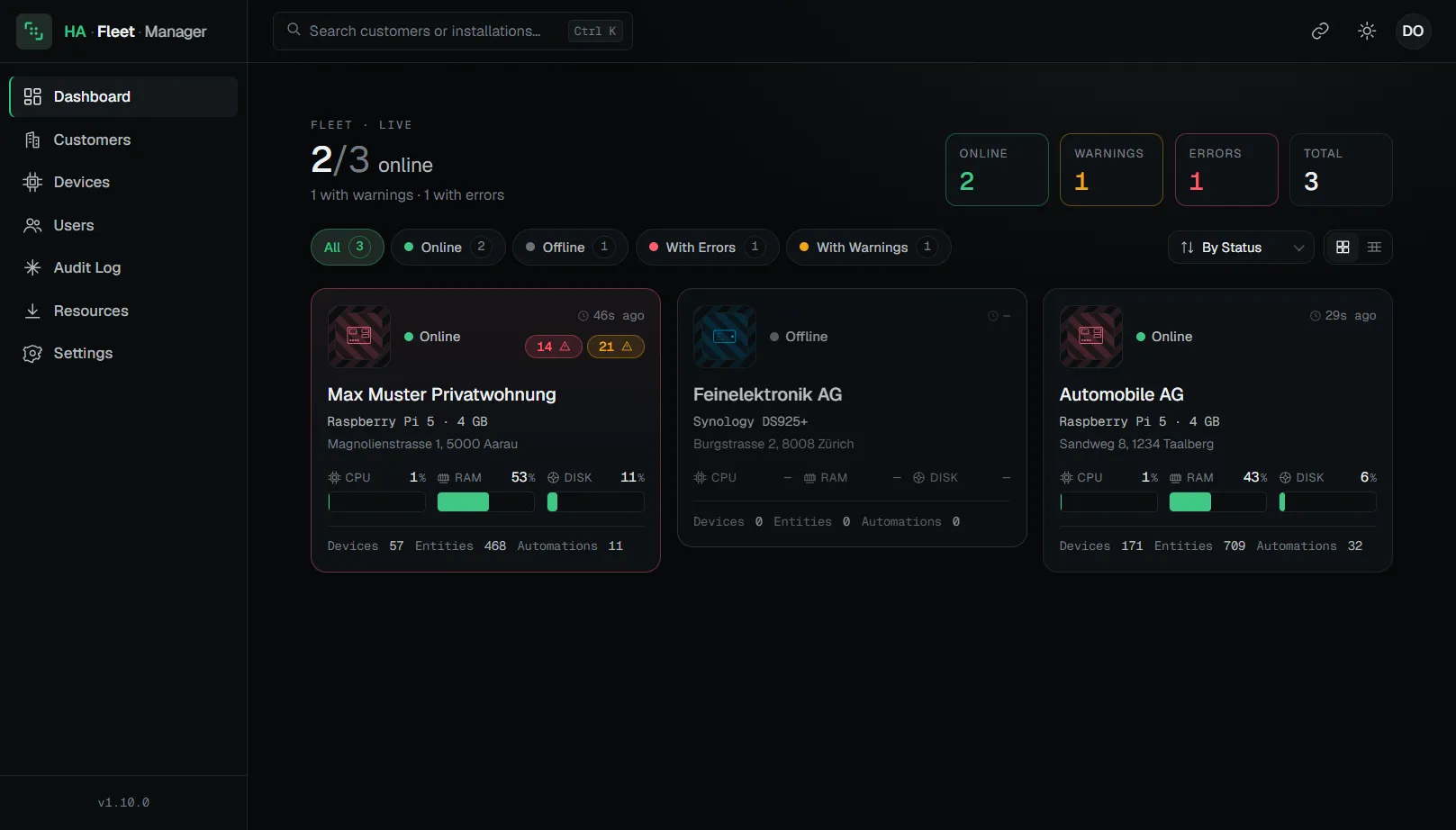
Every customer installation sits side by side, live: online status, CPU, RAM, storage, plus warnings and errors. Without logging in anywhere.
Every installation in detail
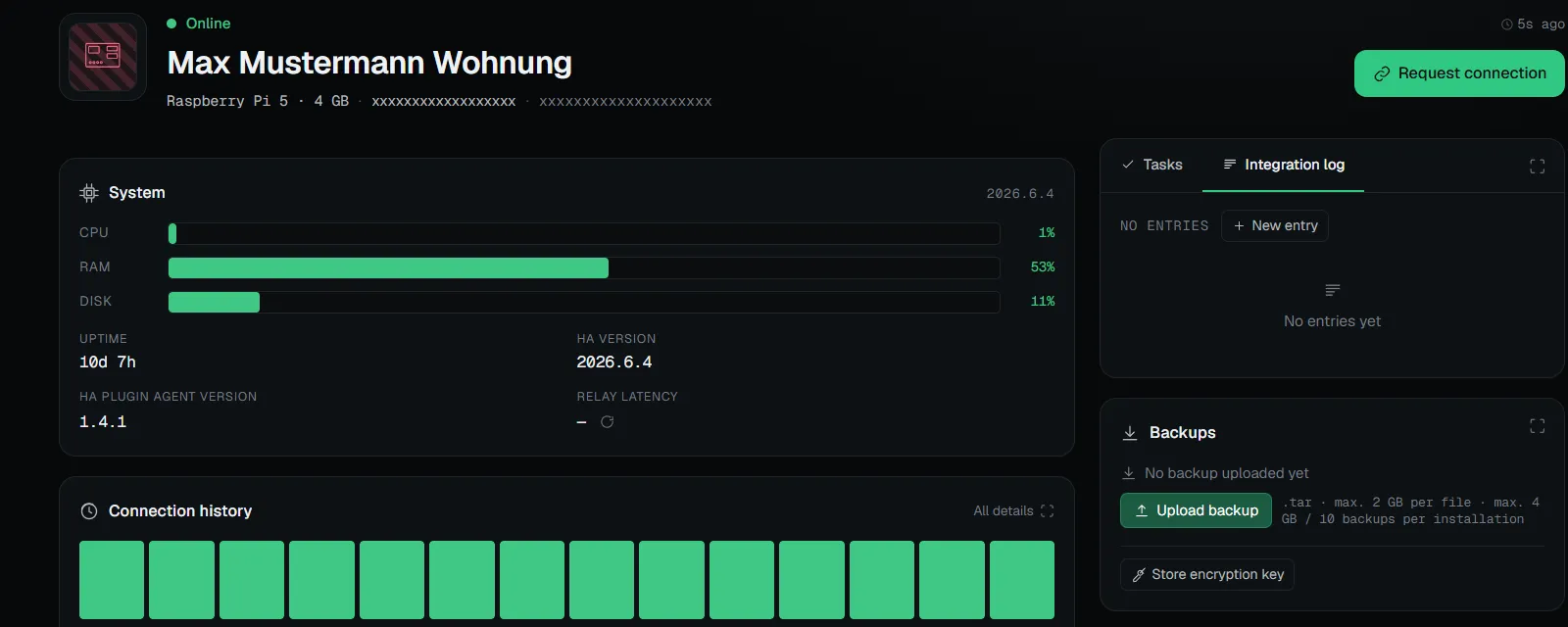
Click an installation and the detail view opens: live CPU, RAM and storage readings, the connection history, backups and open tasks, all in one spot. You can read the state of a site before you touch anything.
Updates from a distance
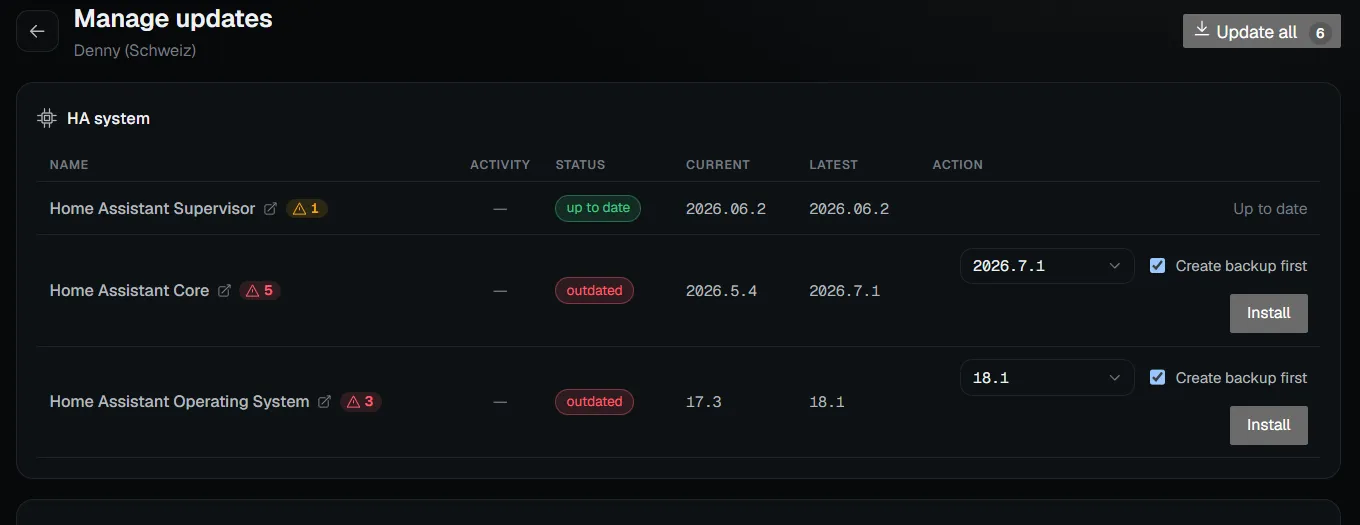
Core, OS, add-ons and integrations all get updated from here, with a specific version to pick and an optional backup beforehand. The full history stays traceable.
Warned before you click
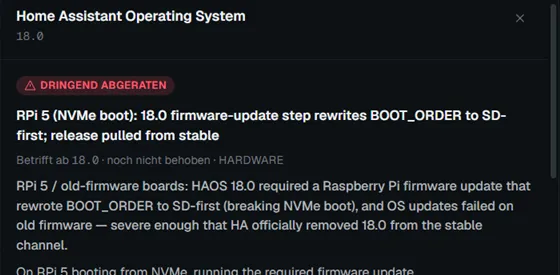
Known downsides of a version are curated and marked by severity right before you install. In this example, this version is strongly discouraged for the Raspberry Pi 5.
How the access actually happens under the hood (one outbound maintenance tunnel, no open port) is explained on the homepage. Trying it costs nothing: sign up for free and attach your first installation.